Pages

Showing posts with label TECHNO TIPS. Show all posts

Thursday, September 29, 2022

AGE CALCULATOR ONLINE

 જન્મ તારીખ નાખો અને ઉંમર જાણો એક જ મિનિટમાં

જન્મ તારીખ નાખો અને ઉંમર જાણો : Age calculator Online હાલના સમયમાં સૌથી વધુ પૂછાતો સવાલ એટલે તમારી ઉંમર કેટલી? જવાબ આપવા માટે આપે જન્મ તારીખ થી આજના દિવસ સુધી ગણતરી કરવી પડે છે. હાલમાં અમુક પધ્ધતિ પણ છે જે તમે તમારી ઉંમર ગણવામાં મદદ કરે છે જેથી તમે તરત ઉંમરની ગણતરી કરી શકો.

જન્મ તારીખ નાખો અને ઉંમર જાણો

પોસ્ટ નામજન્મ તારીખ નાખો અને ઉંમર જાણો
પોસ્ટ પ્રકારટીપ્સ
સુવિધાઓનાલાઈન


ઉંમર જાણવા માટે એક ઓનલાઈન સુવિધા એટલે Age Calculator. આ સુવિધા ઓનલાઈન જોવા મળે છે જેમાં તમારે તમારી જન્મ તારીખ અને આજની તારીખ નાખવાની રહેશે એટલે તમે કેટલા વર્ષના થયા તે દેખાડશે.

ઉંમર જાણવા માટે એક ઓનલાઈન સુવિધા એટલે Age Calculator. આ સુવિધા ઓનલાઈન જોવા મળે છે જેમાં તમારે તમારી જન્મ તારીખ અને આજની તારીખ નાખવાની રહેશે એટલે તમે કેટલા વર્ષના થયા તે દેખાડશે.

જાણો તમારી ઉંમર જન્મ તારીખ નાખીને

આ ઓનલાઈન સુવિધા નીચે મુજબની સુવિધા આપવામાં આવે છે

  • વર્ષ, મહિના, દિવસો
  • મહિના, દિવસો
  • અઠવાડિયા, દિવસો
  • કુલ દિવસો
  • કુલ કલાક
  • કુલ મિનીટ
  • કુલ સેકન્ડ

આ પણ વાંચો:

આ ઓનલાઈન Age Calculator સુવિધાનો ઉપયોગ કરીને તમે વર્ષ પ્રમાણે તમારી ઉંમર જાણી શકશો. ઉદાહરણ તરીકે તમે 12મું ધોરણ 2013માં પાસ કરેલ છે તે સમયે તમારી ઉંમર કેટલી હતી તે માટે જન્મ તારીખ અને પરિણામ આવ્યું તે તારીખ નાખો એટલે તે સમયની ઉંમર દેખાડશે.

તમને ઘણી બધી મોબાઈલ એપ પણ મળશે જે તમારી ઉંમર જાણવામાં મદદ કરે છે. આ પદ્ધતિથી તમારી ઉંમર જાણો ફક્ત 1 જ મિનીટમાં

જન્મ તારીખ નાખો અને ઉંમર જાણોઅહીં ક્લિક કરો
 હોમપેજ પર જાઓઅહીં ક્લિક કરો

વારંવાર પુછાતા પ્રશ્નો (FAQ)

તમે કેટલા વર્ષના થયા?

  • હાલ સગાઈ,લગ્ન બધા જ પ્રસંગે ઉંમર વધુ પૂછવામાં આવે છે આવા સમયે આ ઓનલાઈન સુવિધા ખુબ જ ઉપયોગી નીવડે છે.

તમારી ઉંમર કેટલી?

  • હાલના સમયમાં ઉંમર જાણવા માટે ઘણી બધી પદ્ધતિઓ છે પરંતુ દરેક લોકો માટે એ પદ્ધતિઓ સહેલી નથી એટલે અમે તમને આ લેખમાં એક એવી સુવિધા વિશે જાણકારી આપીએ છીએ એમાં તમે ખાલી જન્મ તારીખ નાખશો એટલે તે તમારી ઉંમર દર્શાવશે.
Age Calculator Online
Read More »

Saturday, September 17, 2022

Jamin Mapani Araji online 2022

 જમીન માપણી અરજી ઓનલાઈન: રાજ્ય સરકાર દ્વારા રાજ્યમાં ટેકનોલોજીના ઉપયોગ થકી પ્રજાને કર્મચારી સાથે સીધા સંપર્ક વિના સેવાઓ મેળવી શકે તે અંગે ઓનલાઈન સેવાના ઉપયોગ થકી વિવિધ મહેસૂલી સેવાઓને ઓનલાઈન કરવામાં આવી રહી છે. મહેસુલી સેવાઓ ઓનલાઈન થવાથી કાર્યપધ્ધતી ઝડપી, સરળ અને પારદર્શક બનેલ છે.

જમીન માપણી અરજી ઓનલાઈન માહિતી

પોસ્ટ ટાઈટલજમીન માપણી અરજી કરો ઓનલાઈન
પોસ્ટ નામજમીન માપણી અરજી કરો ઘરબેઠા ઓનલાઈન
વિભાગમહેસુલ વિભાગ – ગુજરાત
સ્થળગુજરાત રાજ્ય
સત્તાવાર વેબ સાઈટhttps://iora.gujarat.gov.in
સેવા પ્રકારઓનલાઈન

Read Also: ડિજિટલ ગુજરાત સ્કોલરશીપ 2022 પોસ્ટ મેટ્રિક સ્કોલરશીપ યોજના 2022 All Detail@digitalgujarat.gov.in

મોબાઈલથી જમીન માપણી અરજી કરો

જમીન દફતર ખાતાની કચેરીમાં માપણી માટેની અરજી કરવાની પ્રક્રિયા ઝડપથી અને અરજદાર દ્વારા કચેરીના સિદ્ધ સંપર્ક વગર હાથ ધરાય તે બાબત સરકારની વિચારણા હેઠળ હતી. પુખ્ત વિચારણાના અંતે સરકારશ્રી દ્વારા વધુ એક મહેસુલઈ સેવા “જમીન માપણી પૈકી જમીન હદ માપણી, હિસ્સા માપણી પૈકી માપણી કરાવવા માટેની અરજી” iORA પોર્ટલથી ઓનલાઈન કરવાનો નિર્ણય કરવામાં આવ્યો છે.

ઓનલાઈન જમીન માપણી

જમીન માપણી અરજી કરો ઓનલાઈન : ગુજરાત સરકારે IORA Gujarat Jamin Mapani Online નામનો પોર્ટલ શરુ છે. જેના દ્વારા ગુજરાતની જમીનના રેકોર્ડ સરળતાથી મેળવી શકાય છે. આજે અમે તમને iORA (Online Jamin Mapani) પોર્ટલ વિશે માહિતી આપીશું. આ પોર્ટલ સહાયથી, તમે તમારી જમીનની માહિતી તમારા મોબાઈલમાં જ ઘર બેઠા જોઈ શકશો અને જમીન માપણી માટે અરજી કરી શકશો

માપણી માટેની ઓનલાઈન અરજી ગ્રામ પંચાયતમાંથી પણ પંચાયત વિભાગ દ્વારા નક્કી થયેલ દરે કરી શકાશે. જો કોઈ અરજદારને ઓનલાઈન અરજી કરવામાં અગવડતા હોય તો જીલ્લા નિરિક્ષક જમીન દફતર કચેરીમાં હેલ્પ ડેસ્કનો સંપર્ક કરીને તેઓની સહાયથી પણ ઓનલાઈન અરજી કરી શકાશે. આ માટે તમામ જીલ્લા નિરિક્ષક જમીન દફતરની કચેરીમાં હેલ્પ ડેસ્કની સુવિધા માટે એક કર્મચારીને અરજદારને મદદરૂપ થવાની કામગીરી ફાળવવાની રહેશે.

જમીન માપણી ના પ્રકાર

જમીન માપણી બે પ્રકારની હોય છે
સાદી માપણી : જેનો નિકાલ પેમેન્ટ રીસીપ્ટ જનરેટ થયેથી 60 દિવસમાં કરવામાં આવે છે.
અરજન્ટ માપણી : જેનો નિકાલ પેમેન્ટ રીસીપ્ટ જનરેટ થયેથી ૩૦ દિવસમાં કરવામાં આવશે.
જમીન માપણી અરજી કરો ઘરબેઠા મોબાઇલથી
જમીન માપણી અરજીઓ અરજદાર iORA પોર્ટલ (iORA : Integrated Online Revenue Application – gujarat.gov.in) પરથી ઓનલાઈન ઘર બેઠા કરી શકાશે.

પહેલા જમીન માપણી pdf માટે ઓફલાઈન અરજી કરવામાં આવતી તે માટે DILRની કચેરીએ અરજી કરવા માટે જવું પડતું


જમીન માપણી અરજી કરો ઓનલાઈન સ્ટેપ બાય સ્ટેપ

  • નવી અરજી કરવા માટે iORA પોર્ટલ (https://iora.gujarat.gov.in) પર જાઓ. iORA પોર્ટલના મુખ્ય પેજ પર આવેલ મેનુમાં “Online Applications” પર ક્લિક કરો
  • અરજીનો હેતુ “જમીન માપણી સંબંધિત અરજી” પસંદ કરો. (અરજી માટેની વિગતવાર સૂચનાઓ અને કાર્યપદ્ધતિ આ સાથે પરિશિષ્ટ 1 માં સામેલ છે)
  • અરજીમાં જણાવેલ તમામ વિગતો શ્રુતિ ફોન્ટમાં દાખલ કરવાની રહેશે.
  • અરજી વિગતો ભર્યા બાદ અરજી તથા સોગંધનામાની પ્રિન્ટ કરી તેમાં સબંધિત વ્યક્તિઓની સહી કરી, વાંચી શકાય તેવી ક્વોલીટીમાં સ્કેન કરીને અપલોડ કરવાના રહેશે. ગામ નમુના નંબર 7 અને ગામ નમુના નંબર 8ને અપલોડ કરવાના રહેતા નથી.
  • અરજી અપલોડ કર્ય બાદ માપણી ફીનું પેમેન્ટ ઓનલાઈન / NEFT ચલણથી કરવાનું રહેશે. પેમેન્ટ કર્યા બાદ પેમેન્ટની રિસીપ્ટ પોર્ટલ પરથી ફરજીયાત જનરેટ કરવાની રહેશે, અન્યથા અરજીની કામગીરી પૂર્ણ થયેલ ગણાશે નહી.
  • નોંધ : NEFT ચલણથી પેમેન્ટ કરેલ હોય તો જે તે બેંક દ્વારા પેમેન્ટ પ્રોસેસ થયા બાદ ચલણ પર સહી – સિક્કા કરી ટ્રાન્ઝેક્શન નંબર લખી તેને પરત કરવામાં આવે છે. આ પરત કરેલ ચલણ પેમેન્ટ રીસીપ્ટ નથી. પેમેન્ટ રીસીપ્ટ જે તે બેંક પેમેન્ટ પ્રોસેસ કરે ત્યાર બાદ iORA પોર્ટલ પરથી જ જનરેટ કરવાની રહેશે.
જમીન માપણી અરજી ઓનલાઈન લીંકઅહીં ક્લિક કરો
હોમ પેજ પર જાઓઅહીં ક્લિક કરો
જમીન માપણી અરજી ઓનલાઈન
Read More »

Thursday, September 15, 2022

How to Get Online e-Pan card Free Using Aadhar @www.incometaxindiaefiling.gov.in


How to Get Online e-Pan card Free Using Aadhar @www.incometaxindiaefiling.gov.in


How to Get Online e-Pan card Free Using Aadhar @www.incometaxindiaefiling.gov.in, How to get online e-Pan card Free www.incometaxindiaefiling.gov.in What is PAN Card Apply Online? Container Card Apply Online is disentangled application where you can apply new dish card or skillet card amendment in streamlined manner in Just 1 Hour. This App give Consultancy and Support administration on Pan Card.

Essentially Choose the Section in this skillet card application and top off your subtleties for the PAN Card Correction. Instructions to Download Pan Card – Simply go to download container card area and just addition your affirmation number or skillet card and download in the E-PAN Card in the PDF Format.

How to Get Online e-Pan card Free
Would we be able to Check Pan Card Status? Truly You can check any skillet card status through this application. You need to simply embed your Acknowledgment number and check the status. What is PAN Card Application Form? Dish Card Application Form 49A is as of now inbuilt in this application so you can basically fillup the PAN Card Application structure and got your skillet card through this application.

The most effective method to Apply Duplicate or Lost Pan Card? You can without much of a stretch apply a copy dish card through this All in One App. regardless of whether you lost your dish card then you can arrange for the Reprint of your skillet card duplicate.

How to Get Online e-Pan card Free How much age required for the New Pan Card Least 18+ required for the New Pan Card yet minor can likewise apply for the New PAN Card. The most effective method to Link PAN with Aadhar Card You can basically utilizes this application and select element of LINK PAN with Aadhar CARD. After that simply embed your aadhar card number and name with the DOB. At that point just addition your PAN Number so its will be connected through authentic Income charge site.

Instant PAN using Aadhaar


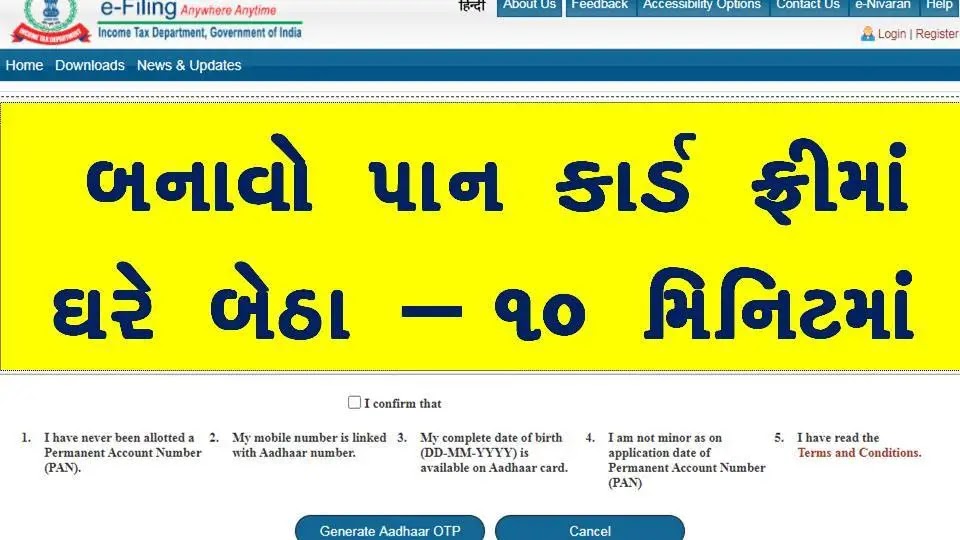
How to Get Online e-Pan card Free: Recently, the Finance Ministry of India through the Income Tax department has launched a new facility which provides instant PAN (on near real-time basis) allotment based on the Aadhaar number. Remarkably, the entire process is totally paperless and free of cost. The applicant is not even required to upload any types of documents. The present article provides the briefing of the person who is eligible to avail the facility; process to be followed to avail the facility and process to be followed to check the status or download the PAN.

Eligibility

Every individual having valid Aadhaar Number can avail the facility. In order to avail the facility, it is important that the mobile number of the applicant is registered with the database of Unique Identification Authority of India (UIDAI). However, it should be noted that the minors cannot avail the facility.

In simple terms, the facility can be availed only if the applicant satisfies the following conditions:

The applicant should have a valid Aadhaar Number.
The Aadhaar Number of the applicant should not be linked to any other PAN.
The applicant should have a mobile number registered with the Aadhaar.

How to apply for e-PAN Using Adhar?

  • Visit the official website of e-Filing of the Income-tax department at www.incometaxindiaefiling.gov.in
  • Click on the link- ‘Instant PAN through Aadhaar’.
  • Then, click the link- ‘Get New PAN‘. [Direct Link]
  • Fill your Aadhaar number in the given box.
  • Then, enter the captcha and confirm.
  • After this, you will receive an OTP on the registered mobile number.
  • Now, you have to submit this OTP.
  • After submission, you will receive a number. You can keep this number for future reference.
  • After successfully submitting the application, you will receive a message on the registered mobile number.

A mail will be sent at your email address which is registered in UIDAI.
We gives the choice to confirm any dish card in india. You need to simply embed the name and Dob of the candidate with the dish card number so its will be confirm through personal expense office ongoing framework for the equivalent.

Note: If need Physical Copy then it will be charged

Download PAN Card

The applicant needs to follow the below steps in order to check the status or download the allotted PAN:

  • Step 1: Visit site https://www.incometaxindiaefiling.gov.in/home.
  • Step 2: Click on ‘Instant PAN through Aadhaar’ icon provided on the left-hand side under Quick Links.
  • Step 3: Click on the ‘Check Status / Download PAN’ icon.
  • Step 4: Enter Aadhaar number.
  • Step 5: Enter Captcha and click submit.
If the PAN is allotted, the same can be downloaded by following the above steps. The applicant would also receive the PAN in PDF format through e-mail ID (if registered with UIDAI). It should importantly be noted here that the e-PAN so received would contain a QR code having demographic details of the applicant like Name of the applicant; Date of Birth of the applicant and Photograph of the applicant. Such details are accessible through a QR code reader. Noticeably, such e-PAN is a valid proof of PAN. It is similar to PAN issued by the Income Tax department through other modes.

Read More »

Wednesday, September 8, 2021

The world's cheapest smartphone JioPhone Next, Learn 8 important things

The world's cheapest smartphone JioPhone Next, Learn 8 important things


Reliance Jio has partnered with tech giant Google to develop JioPhone Next, which will launch on September 10. Reliance Industries Chairman Mukesh Ambani has said that Geophone Next is the cheapest smartphone not only in India but globally. Speaking at RIL's 44th annual meeting in June, Ambani emphasized that India needed an ultra-chip 4G smartphone to make it '2G free'. Today we are going to tell you the 7 features of this phone.

At the wedding, the bride was spoiled by the groom's friends, giving a look that made people laugh a lot.
VIRAL VIDEO: Army man beaten by police for not wearing mask, people angry on social media
This one decision of Modi government will have a big impact on millions of people, VPN may be banned in India


JioPhone Next works on an optimized version of the Android operating system that has been jointly developed by Jio and Google specifically for the Indian market.


JioPhone Next has sophisticated features. These include voice assistant, language translation, automatic read-allow of screen text, and smart cameras with augmented reality filters. For users who may not be able to understand the content in their own language. The phone will allow users to translate whatever is on its screen with the tap of a button and even read it in their own language.


JioPhone Next may come with an estimated price of Rs 3,499. But Reliance Jio may make another offer to lower the price.


JioPhone Next is expected to launch next with Qualcomm Snapdragon 215 processor that supports 4G network.
It is hoped that Reliance Jio will give the buyer the option of 2GB RAM and 3GB RAM variant. In the internal storage option Jio can launch 16GB variant and 32GB variant.
The device is expected to get a 5.5-inch display with AT resolution.

The new JioPhone Next will be launched in different colors. Including the Blue variant.


The smartphone is equipped with a fast, high quality camera that gives a clear picture at night and in low light. Google has also partnered with Snapchat, the parent company of Snapchat, a photo-sharing app that allows Snapchat lenses to be delivered directly to a phone camera.
Read More »

Monday, January 18, 2021

Speak to Translate is English & All Languages Free Voice Translator & Dictionary

Speak to Translate is English & All Languages Free Voice Translator & Dictionary


Text translation: Translate between 103 languages by typing

• Tap to Translate: Copy text in any app and tap the Google Translate icon to translate (all languages)
• Offline: Translate with no internet connection (59 languages)
• Instant camera translation: Translate text in images instantly by just pointing your camera (88 languages)
• Photos: Take or import photos for higher quality translations (50 languages)
• Conversations: Translate bilingual conversations on the fly (43 languages)
• Handwriting: Draw text characters instead of typing (95 languages)
• Phrasebook: Star and save translated words and phrases for future reference (all languages)
• Cross-device syncing: Login to sync phrasebook between app and desktop


All Languages Translator:

The first and foremost feature of Speak to Translate all languages voice translator and dictionary app is that it allows you to translate from any language into any language. All languages speech translator is a free language translator with voice that can be available to you all the times for language translation.


English to all Languages Translator:

We all know that English is an international language and people from all over the world want to understand it and also want to communicate with English language speakers either they are native OR they are using English as another Language in their daily life communication. Our application also works as English to all languages translator that means you can translate English word, sentences and paragraphs either by writing OR by voice input into any other language of the world. Speak and Translator is more useful tool when you use it as English to all language voice Translator. English is widely spoken and top communication language all over the world now even in East Asian Countries China, Japan & Korea and also in Latin American Countries so below mentioned top language interpretations are available in it:


With Translate All, you can travel to any place you like. Voice-to-voice translation is the ideal feature to help you communicate with people around the world. No more language barrier! Enjoy yourself, your lifestyle and learn new things.


Translate All is the leading translator and dictionary app for language translation that translates your words with free voice translation. You can use the app to translate from English to any languages of the modern world that you want, for example translate English to Spanish, and vice versa. Make full use of it every day for any purposes: business, travel, and even education.
As a dictionary app, Translate All helps you look up words or any phrases in all languages with high accuracy, build your own vocabulary, learn new words by categories. Now you have the perfect dictionary always beside you.
Whenever you need a translator or dictionary, think Translate All: Translation Voice Text & Dictionary

English to Chinese

English to Spanish

English to Arabic

English to Hindi

English to Bengali

English to Portuguese

English to Russian

English to Japanese

English to Korean

English to Punjabi

English to French

English to Urdu


All Languages Dictionary:

Speak to Translate app is not just a simple free language translator, rather it is also an all languages dictionary app with voice input. In addition to speaking and translating in desired language, you can also type the words or sentences and get their translation. The translation can be done from any language to any language and so can be the dictionary meaning.

Simple Interface:

The third most striking feature of Speak to Translate in All languages app is that it has a very simple conversation interface. With the move of a simple button you can translate from one language and listen to the output in other language. The amazing voice to voice translation feature allows you to listen translated text automatically, you don't have to tap on speaker buttons again and again.

Features

- Get free translations for texts in over 60 languages
- Listen to translations in male or female voices (depend on your device)
- Dictionary for all languages
- Conversation Mode: Two-way instant speech translation
- Camera Mode: Translate text within photos and screenshots
- Speech Mode: Speak and translate using microphones on your device
- Phrasebook: Make your own dictionary organized into folders for future reference

English to Gujarati Translator Apps and 👍 English To Gujarati Dictionary App

🔥 #1 English to Gujarati Translator App

Want to ✈️ Travel in Gujarat? If Yes, This is The Best Gujarati to English Translator app most helpful for your traveling.

તલાટી ભરતી જિલ્લાવાઇઝ જગ્યાઓ

તલાટી ભરતી નોટિફિકેશન અહીંથી જુઓ

તલાટી ભરતી ઓફીસીયલ સાઇટ પર સુચનાઓ વાંચવા માટે

People ❤️ Love this English To Gujarati Translator app because it's very helpful for everyone.

English To Gujarati Translator App will be very useful to people studying a Foreign Language like 🚌 travelers, students 👩‍🎓 and everyone who raises their level of language.

English to Gujarati Translator is a free download application to translate English to Gujarati & Gujarati to English.

521 પેજની ડીક્ષનરી અહિંથી  ડાઉનલોડ કરો

❤️ Feature of English To Gujarati Translator

🆓 First Thing is It's FREE
🔊 Speak & Translate
✍️ English To Gujarati Translate
📋 Gujarati To English Translate
💬 Text-to-speech functionality
🔍 Easy and Fast Search
🎧 Speak words and obtain a translation
🅱️ Translation of words and phrases
🔉 Easily Voice input
🥰 Mark as a Favorites
📀 Save Translation History
👍 Share your text to your social media

Read More »

Monday, January 11, 2021

what is the Pan card number formula

 what is the Pan card number  formula

Types of PAN

  • Individual
  • HUF-Hindu undivided family
  • Company
  • Firms/Partnerships
  • Trusts
  • Society
  • Foreigners


1. The first three letters of a PAN card number are English letters, which can be anything from AAA to ZZZ. The Income Tax Department decides what the letter will be and what its number will be.

2. The fourth letter states the status of the PAN card holder. Such as A-AOP (Association of Persons), B-BOI (Body of Individual), C-Company, F-Firm, G-Government, H-HUF (Hindu Undivided Family), J-Artificial Judicial Person, L- Used for local, P-person or personal, T-trust.

3. The fifth character in the account number of the PAN card will be your surname or the first letter of the name of the organization, in other cases the name of the organization. As your name is Sahil, the fifth letter will be S.

4. There are numbers from the sixth digit to the ninth digit. These figures can be any number from 0001 to 9999. In fact, it is the number whose series is running in the income tax department when creating your PAN card.

5. The last letter is the alphabet check. The last letter of the PAN card number is a letter, which is an alphabet check digit. It is generated by applying a formula to the last nine letters and numbers.


ગુજરાતીમાં ડીટેઇલ અહિંથી વાંચો

Structure of PAN Card

Name of the cardholder – Individual/ Company

Name of the father of the cardholder – Applicable for individual cardholders.

Date of birth – the cardholder’s date of birth in case of an individual or date of registration is mentioned in case of company or firm.

PAN Number – It is a 10 letter alpha-numeric number and each character represents distinct information of the cardholder.

First three letters – are purely alphabetical in nature and contain three letter of the alphabet from A to Z.

The fourth letter – this represents the category of the taxpayer. The various entities and their respective characters are as follows:

Read More »

Wednesday, December 30, 2020

WhatsApp will not work on some Android and iPhone from January 1, see if your phone is on the list

Attention WhatsApp users; WhatsApp will not work on some Android and iPhone from January 1, see if your phone is on the list


  • WhatsApp was also discontinued in some Android-ios devices last year
  • The company said - update the phone's OS to continue the service.


Last year WhatsApp, one of the most popular messaging platforms in the world, discontinued its service for some smartphones. According to a recent report, the company is also going to discontinue its service for certain iPhones and Android devices this year. WhatsApp, a Facebook-owned messaging platform, says WhatsApp will stop working on smartphones running on older operating systems.


According to the report, WhatsApp support will end on Apple devices running on an operating system older than iOS 9 or Android phones running on an operating system older than Android 4.0.3. On a support page, the messaging platform advises users to use the latest version of their operating system so that they can enjoy all the new WhatsApp features that have recently been rolled out.


WhatsApp has introduced many new features this year


WhatsApp has introduced a number of new features this year, ranging from increasing the number of subscribers to group video and video calls to restricting forwarded messages to banning fake news. To enjoy these features, iPhones and Android phones running on older operating systems should be upgraded by the end of this year. If not you will not be able to use the platform to stay connected from 2021.


WhatsApp will be discontinued in this iPhone from January 1

WhatsApp advises users to upgrade their iPhone to iOS 9 or later operating system and Android phone to Android 4.0.3 and its latest version.

This means that all iPhone models up to the iPhone 4 will lose WhatsApp support.

The model includes the iPhone 4S, iPhone 5, iPhone 5S, iPhone 6 and iPhone 6S, meaning users will need to update their operating system to iOS 9 or later to continue using the WhatsApp service.


This will affect the Android device

Speaking of Android, WhatsApp has clarified that this will stop working on smartphones that work on the first version of Android version 4.0.3.

Although there are not many Android devices working on such old software, this step will not affect many users.

Some Android phones that still run on older OS include the HTC Desire, LG Optimum Black, Motorola Droid Razr and Samsung Galaxy S2.


So make sure your Android phone is working on Android 4.0.3 version or working on newer version.


અહીંથી વાંચો સંપુર્ણ ગુજરાતી રીપોર્ટ


This way check which OS version the phone is working on

To check which os your iPhone is working on, you have to go to Settings-> General and Information-> Software, here you can see which operating system your iPhone is running on.

Android users can see which Android version of their smartphone is working by going to Settings-> About Phone.

Read More »

Wednesday, December 16, 2020

Do you want to take a fancy or VIP mobile number? So you can get it easily by following this step, know the process

 Do you want to take a fancy or VIP mobile number? So you can get it easily by following this step, know the process

There are some smartphone users who associate their phone number with a particular number, which means that some have a lot to do with the number. If you also like your mind or want to get a fancy number, you can get it easily. This requires a process that we are showing you.


What to do to get a fancy number 

You have to apply for a fancy or VIP number.


To apply, first go to Google and search for BSNL Choice Number (for example). This is followed by clicking on the CYMN website at the top.


As soon as you open this, a window will open in which states are given according to different zones. Select the state in which you live. After selecting the state, a page will open. You can unlock the page by sliding the slider provided in it.


As soon as the page is unlocked, a few phone numbers will appear in front of you, these are given in two types of numbers, one simple and one VIP number.


Now you have to click on the fancy number. As soon as you click on this, a new table will appear in front of you. There is also an option called Cost.


You will have to pay the price to buy this number, this number will be written against the price. You can also search for your favorite digit number. You can search for this by going to the content. You can also search for numbers under the Search by Series option.


Now select the number you want to buy. Now you have to click on the reserve number option given above. After doing so a dialog box will open. In this you have to enter your active mobile number. As soon as you enter the number, a PIN will appear on your phone, you have to enter this PIN there.

ગુજરાતી માં ડીટેઇલ સ્ટેપ અહિંથી વાંચો

After doing so, your VIP number will be reserved. After reserving, you have to click on Fill Application.


Do this by submitting your details and OK, you can also go to the nearest outlet of the company and fill the form. Along with this you have to go to the company's office and show the reserve number and alternate number. Then you will get your favorite number.

Read More »

Friday, November 20, 2020

Follow these steps to make sure your smartphone is brand new or second hand

Follow these steps to make sure your smartphone is brand new or second hand


  • Companies buy old smartphones and sell them in the market again
  • IMEI number information can be compared with phone details to know if the phone is brand new or refurbished.


There are huge discounts and offers on smartphones during the festive season. E-commerce companies are selling smartphones at cheaper prices due to competition. Many companies are selling the phone at half price. After using such a smartphone for a while, when the problem arises, many questions arise in the mind.


Many companies are buying old smartphones and reselling them. This type of phone is called refurbished. The body of the phone is changed to give it a new look. There is a huge market for fake models in the country. So it is important that you make sure that the smartphone you buy at a cheaper price is refurbished or brand new.


Here are 3 ways to tell if a smartphone is genuine or fake


1. Verify by text message

You can send an SMS to the Department of Telecommunications asking about the phone. For that you have to send IMEI number to the department.


Follow these steps for the message

  • For the IMEI number of the phone dial * # 06 # or go to phone settings and click on About Phone.
  • Here you will see the 15 digit IMEI number of the phone, take note of it.
  • If your smartphone is dual SIM, you will see the IMEI number of both the SIMs.
  • Now after KYM give space and type the phone's IMEI number and send it to 14422.
  • After sending the message, you will get a message with information about the manufacturer, support band, model.
  • Verify message details and your phone details.


2. Find out from the app

You can also use the app to know if your smartphone is brand new or refurbished. For that you need to install KYM - Know Your Mobile app from Google Play Store. You will see many apps with this name, but you only need to install the app developed by CDOT.


Follow these steps after installing the app

  • The first time you open the app, it will ask for some permissions. Allow it.
  • There will be an option to submit IMEI number in the interface of the app, next to it there will be a scanner.
  • You can use the scanner or click on the sim icon below.
  • Clicking on the SIM icon will show the name, support band, brand and model of the phone's manufacturer.
  • Verify the details that appear on the screen with the details of your phone.


3. Check from the website::

You can also use the website to check if the phone is genuine or counterfeit. You will be able to know other information including the brand, RAM, model of the phone from the website which gives the details of the phone from the IMEI number of the phone.


અહીંથી વાંચો ગુજરાતી રિપોર્ટ

KNOW YOUR MOBILE APP FILE

Follow these steps on the website

  • First go to a website called www.imei.info.
  • Click on the IMEI Submit option below. Submit IMEI number in it.
  • Now click on the CHECK button to see the details of the phone.
  • Compare website details and your phone details.

Read More »

Wednesday, November 11, 2020

Top 5 Payment system and Payment Gate way In india

 Top 5 Payment system and Payment Gate way In india


5 types of online payment services in the country, Google-Pay is the most famous, learn the benefits of e-payment.


 WhatsApp has recently launched an online payment service in the country. Transactions in the country have really gone digital since the lockdown. There are currently five types of online payment services in the country. UPI, Wallet, Payment Gateway, Net Banking and NEFT have digitized the transaction process in the country. Learn about it ...


1. What is UPI service?

Every app offering wallet service facilitates direct transactions through UPI. That is, you can also transact from a wallet and from UPI if you wish. Wallet services are also available for e-payment in India. The Wallet app accounts for more than 50% of all online transactions across the country. This figure is more than 85% in retail payments.

What's new in WhatsApp online payment service?

With the approval of the National Payment Corporation of India (NPCI), WhatsApp has also launched online payment services.


That is, you can not only chat but also make online payments through WhatsApp. It is accepting transactions through UPI

You can take advantage of gift cards and cashback just like Google-Pay and Phone-Penny.

No need to download another app for that. WhatsApp will launch this service only after it is updated in the messaging app.

3. What is NEFT?

National electronic fund transfer i.e. NEFT works just like net banking. This is a national payment portal. All the banks of the country are connected to it.

You will be able to access these services after one registration by visiting the bank or its website. Can make national and international payments through it.


4. Net Banking

A common server of banks operates in net banking. This makes bank-to-bank payments easier. Payment and account are completely secure due to the interconnected server.


5: What is a payment gateway?

This is an application that makes online payment easy. When you make a payment on an online site, the merchant's site sends your debit / credit card details to the payment gateway for confirmation. The payment gateway then verifies this information with the bank and withdraws the rupee from your account and sends it to the merchant's account.

4 most popular payment gateway services in the country

1. Citrus-Pay


Payment Gateway Citrus Pay is currently the most popular currency in the country. This is one of the most secure payment gateways. Citrus Pay also offers online wallet services like Citrus Cash and Citrus Cube for bill payments.


2. CC Avenue

CC Avenue is also a popular gateway for online payments. It gives you many online payment options. Its biggest feature is that we can use it in 18 languages ​​from home and abroad. What is special about it is that through it you can deal in the currencies of 27 countries.

3. Payu Biz India

Payu Biz India Payment Gateway accepts all types of online payments. It allows you to pay by card, netbanking, wallet, international card, EMI and IVR. Payu Biz India also accepts payments in currencies of 13 countries. Payu Biz India looks after the online payment management of the country's major banks. Payments can be made from an Android phone to Payu Biz India with just one tap.

4. Zak-Pay

This is also a very famous payment gateway. Zak-Pay accepts payments from all foreign and domestic credit cards. Payments can be made through Diners Club, Visa and MasterCard. Zak-Pay is a secure and easy payment gateway.

Read More »

Wednesday, October 28, 2020

Follow these steps to make sure your smartphone is brand new or second hand

 Follow these steps to make sure your smartphone is brand new or second hand

  • Companies buy old smartphones and sell them in the market again
  • IMEI number information can be compared with phone details to know if the phone is brand new or refurbished.


There are huge discounts and offers on smartphones during the festive season. E-commerce companies are selling smartphones at cheaper prices due to competition. Many companies are selling the phone at half price. After using such a smartphone for a while, when the problem arises, many questions arise in the mind.


Many companies are buying old smartphones and reselling them. This type of phone is called refurbished. The body of the phone has to be changed to give it a new look. There is a huge market for fake models in the country. So it is important that you make sure that the smartphone you buy at a cheaper price is refurbished or brand new.


Here are 3 ways to tell if a smartphone is genuine or fake

1. Verify by text message

You can send an SMS to the Department of Telecommunications asking about the phone. For that you have to send IMEI number to the department.


Follow these steps for the message

  • Dial * # 06 # for the IMEI number of the phone or go to phone settings and click on About Phone.
  • Here you will see the 15 digit IMEI number of the phone, take note of it.
  • If your smartphone is dual SIM, you will see the IMEI number of both the SIMs.
  • Now after KYM give space and type the phone's IMEI number and send it to 14422.
  • After sending the message you will get a message with information related to the manufacturer, support band, model.
  • Verify message details and your phone details.

You can also use the app to know if your smartphone is brand new or refurbished. For that you need to install KYM - Know Your Mobile app from Google Play Store. You will see many apps with this name, but you only need to install the app developed by CDOT.


Follow these steps after installing the app

  • The first time you open the app, it will ask for some permissions. Allow it.
  • There will be an option to submit IMEI number in the interface of the app, next to it there will be a scanner.
  • You can use the scanner or click on the sim icon below.
  • Clicking on the SIM icon will show the manufacturer's name, support band, brand and model information of the phone.
  • Verify the details that appear on the screen with the details of your phone.


You can also use the website to check if the phone is genuine or counterfeit. You will be able to know other information including the brand, RAM, model of the phone from the website which gives the details of the phone from the IMEI number of the phone.

Detail ગુજરાતી ન્યુઝ રીપોર્ટ અહિંથી વાંંચો

Follow these steps on the website

  • First go to a website called www.imei.info.
  • Click on the IMEI Submit option below. Submit IMEI number in it.
  • Now click on the CHECK button to see the details of the phone.
  • Compare website details and your phone details.


Read More »

How to Erase Phone Data when phone stolen

 How to Erase Phone Data when phone stolen


Tips: All phone data can be deleted even after being stolen, this is the easy way

It often happens that the phone is stolen or lost somewhere. At such times the smartphone user gets into trouble, and runs the risk of stealing his necessary data. But no need to panic, here is a trick you can use to easily delete data from a stolen phone.


Everyone has a smartphone right now, and everyone's necessary and important data is saved in the phone as photos, videos and other documents. But it often happens that the phone is stolen or lost somewhere. At such times the smartphone user gets into trouble, and runs the risk of stealing his necessary data. But don't worry, here's a trick you can use to easily delete data from a stolen phone. Learn Simple Tips ....


Online way to delete data

If your phone is stolen somewhere, in this condition you can delete your phone data online. Learn how 


ગુજરાતીમાં પુરી પ્રોસેસ અહિંથી વાંચો

This is the whole process

1 First you need to open an Internet browser on a computer or other phone.

2 Here you have to type https://www.google.com/android/find.

3 Now you need to login with your Gmail ID, which is also in the smartphone.

4 You will see three options of Play Sound, Secure Device and Erase Device.

5 You have to click on ERASE DEVICE to delete the phone data from this.

Clicking one more time will require you to enter the Gmail password.

7 If your phone has internet on, you can delete all your data.

Read More »

Wednesday, October 7, 2020

How to use 2 whatsapp in mobile phone How tos et Autoreply

 How to use 2 whatsapp in mobile phone  How tos et Autoreply

The use of the instant messaging app WhatsApp has grown rapidly worldwide today. Every smartphone user is using WhatsApp. The best features from chatting to calling are available in WhatsApp. But here we are showing you some useful tricks of WhatsApp, which very few people will know about.


What to do if you want to send a message without saving the number ....

Sometimes we have to send a message on WhatsApp, but we don't want to save its number. To do so, you have to go to the mobile browser. After slashing on Google Chrome and on the URL you have to enter the country code. And type the number of the users you want to message. This is then to open it. As soon as you open the enter page, the message option will appear here. As soon as you click on the message, you will be taken directly to WhatsApp. From here you can easily send messages to the users you want to send, without even saving the number.


What to do if you can't reply to a message ...

If you can't reply to someone or you have a business account then you can't message them. If you want the message to go away automatically like I am busy, I call you later… .. This is an easy trick. For this you need to install a third party app called whats auto reply app. Permission for notification has to be sought from here. WhatsApp will then read the application and automatically reply to any notification message. You can send customized message as you wish, this is also easy.


What to do if you want to read his message without informing anyone ....

You can read someone's message without notifying them, you can turn on airplane mode in your phone to read it without the blue tick appearing. After this you can easily read anyone's message. After reading the message, WhatsApp has to close via multitasking. The airplane mode will have to be turned off later. This way the person in front will not even know that your message has been read to him.

READ DETAIL NEWS IN GUJARATI

How to use two WhatsApp in phone

Many people want to use two WhatsApp in the phone, Android or iOS. For this you can use WhatsApp business with WhatsApp. On this you can become your second WhatsApp account. Doing so allows you to use two WhatsApps in your phone.

Read More »

Friday, August 14, 2020

How to Use whatsapp without mobile no

How to Use whatsapp without mobile no


Very few people know that you can run this app even without a mobile number, which means you don't need a mobile number. The special thing is that you can also run from WhatsApp landline number. For this you have to work on one of the tips


WhatsApp is as popular as any other app in the world. This popular app offers all kinds of features to its users. A mobile number is required to run this app. But very few people know that you can run this app even without a mobile number, which means you don't need a mobile number. The special thing is that you can also run from WhatsApp landline number. For this you have to work on one of the tips.


READ DETAIL NEWS IN GUJARATI

This is how you can run WhatsApp from a landline number ...


  • 1. First install WhatsApp Business in your mobile phone, now open the app on your mobile phone, tablet, laptop.
  • 2. You will then be asked for your country code, followed by a 10 digit mobile number. Here you can also enter the land line number.
  • 3. Verification in the app will be done by SMS or then calling. We have used the landline, so the message will not come. But the app only sends SMS first. After a minute, the message or call button is activated again. Here you have to select the Call Me option.
  • 4. As you select the call option, the call will come to your landline number, there will be an automatic voice call, in which you will be shown a 6 digit verification code.
  • 5. Once you enter this verification code into the app, your WhatsApp account will then be set to a landline number. The profile photo and name can be kept here as before
Read More »

Saturday, July 11, 2020

Whatsapp Animated Sticker Feature Available now

Whatsapp Animated Sticker Feature Available now


HIGHLIGHTS


  • WhatsApp has unrolled the much-awaited animated stickers to its users across the world .
  • The animated sticker packs are now appearing alongside the traditional sticker packs within the Sticker Store.
  • The animated stickers are available on both Android and iOS and it'll even be available for the desktop version.


WhatsApp has unrolled the much-awaited animated stickers to its users across the world . Announcing an equivalent , the Facebook-owned messaging tweeted from its official Twitter account saying, “Animated stickers are available now.” The animated sticker packs are now appearing alongside the traditional sticker packs within the Sticker Store. The animated stickers are available on both Android and iOS and it'll even be available for the desktop version.


WhatsApp has unrolled a few of animated stickers the also are called Rico's Sweet Life, Playful Piyomaru, Bright Days, Moody Foodies, and Chummy Chum Chums. so as to use the animated stickers in your chats, update your app to the newest version. The feature is currently available on Android v2.20194.16 and iOS v2.20.70 versions of WhatsApp.

WhatsApp recently unrolled its new animated stickers feature to all or any of its users. This feature allows users to send animated cartoonish stickers, almost like Hike Messenger, to their contacts. These animated stickers consistent with the corporate allow users to precise their feelings during a better way. As of now, the corporate is offering four animated sticker packs for users to download, these include Chummy Chum Chums, Rico’s Sweet Life, Bright Days and Moody Foodies.


Today we'll be taking a glance at how you'll download and begin sending animated WhatsApp Stickers to your contacts.

Note: To be ready to send animated stickers, you're required to update your WhatsApp Messenger app to version 2.20194.16 or above for Android and to version 2.20.70 or above for iOS. To do so, simply head over to the Google Play Store or the Apple App Store and update the app.


WhatsApp is now home to a replacement way of expressing over the messaging app -- Animated Stickers. The WhatsApp Animated Stickers are an extension of the stickers found on the app with some life for better communication. As a reminder, the feature has been rumoured to be a neighborhood of WhatsApp for a short time now and is finally official with new Animated Sticker packs. Read on to understand how you'll get them and share together with your loved ones.

UPDATE YOUR WHATSAPP FROM HERE

How to download WhatsApp Animated Stickers? (Android, iOS)

The process of getting and sharing WhatsApp Animated Stickers is pretty simple and works very similar to the traditional , still stickers. you would like to follow a few of straightforward steps for an equivalent . Here's the way to do so:
Read More »

Saturday, June 27, 2020

How To create 3D photo In Facebook


How To create 3D photo In Facebook


  • The new tool will allow users to use this technology on any mobile and convert 2D image to 3D image in real time.
  • No photography skills or other lenses are required
  • This technology can be used on any mobile device
  • The system will be unveiled in August at the Annual Conference on Computer Graphics SIGGRAPH 2020
  • Named the Photo Feature, the technology has been available on Facebook since the end of 2018, but required a dual lens camera.


Researchers at Facebook have developed an end-to-end system. This will allow the user to convert a 2D image taken from his smartphone into a 3D image. This new framework gives users a more practical approach to 3D photography and also offers suggestions for new designs.

With this new tool from Facebook, users will be able to use this technology on any mobile and convert 2D image to 3D image in real time. No photography skills or other lenses are required. The tool takes only a matter of seconds to convert a 2D to 3D image. This tool converts 2D old and new images into 3D.

This system works on any phone


"Initially all images were black and white and granular, then color photography and then digital photography gave us images with high quality and good resolutions," said Johannes Coffe, president and researcher of the team that developed the tool.
Now the era of 3D photography has started, in which images can be made to feel more vivid and real. Named the Photo Feature, the technology has been available on Facebook since the end of 2018, but required a dual-lens camera.
Now the Facebook team has added a new algorithm to it, which automatically estimates the depth of 2D. This technology can be used on any mobile device.
Facebook enlisted the help of AI to create this tool


To create the new tool, the researchers trained through the millions of 3D images available in the public domain. For this, Facebook enlisted the help of AI (Artificial Intelligence). The framework also incorporates textual inputs and geometry capture of 2D input images into 3D conversion, allowing them to take vivid images.
Each type of automated step that allows the user to convert a 2D image from mobile to 3D is optimized to support Mac and other models. It is capable of working with the memory and data transfer capabilities of the device.
Facebook is developing a system that can detect high quality depth

Facebook researchers are developing a system for a high-quality 3D experience that will accelerate computer vision, graphics and machine learning.
For the future, the team is exploring machine learning methods that can convert not only photos but also videos into 3D. The system is set to be unveiled by the company Computer Graphics at the annual conference SIGGRAPH 2020 in August.

How To create a 3D photo:


  • Tap What's on your mind? at the top of your News Feed. Tap Write something... in a group or on a Page.
  • Scroll down and tap 3D Photo.
  • Select the photo you'd like to use.
  • Tap Share or Post.
READ FULL NEWS IN GUJARATI

Keep in mind:

  • 3D photos can’t be edited. If you edit a photo using Facebook, your computer or a third-party app, you may not be able to convert it into a 3D photo.
  • If you’d like to share a 3D photo, you can’t add multiple photos to a post. Only one 3D photo can be shared at a time.
  • At this time, 3D photos can't be added to an album.
  • If you're posting a 3D photo from a Page, 3D photos can't be boosted or used in ads at this time.
Read More »

Monday, June 1, 2020

Hide any application on your phone, No need to install any application

Hide any application on your phone, No need to install any application


App Header is the best app to hide other apps on GooglePlay, especially for WhatsApp Instagram and Facebook Messenger. App Header is a great application cloner for accessing multiple accounts from one device. So much so that the app header can hide photos and videos and hide the app header by turning itself into a single keychain.


How to hide application?

- Import the app you want to cover in the app header.
- Launch the app Cleaned app in the app header to make sure the clone is working well.
- Uninstall the original application from your device. Now you just launch that app from the app header

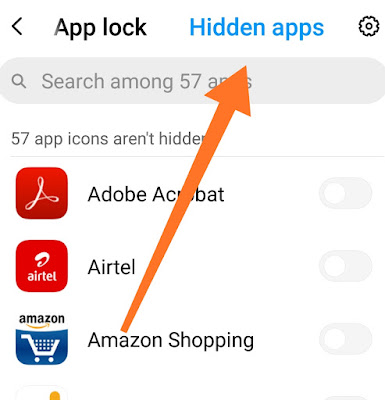
step :1 go to setting than go to app lock

Is every application often cloned in the app header?

- We're not sure because we won't test it all. But you will only try to dual Dual App Dual WhatsApp Dual Facebook. You won't lose anything if you try to dual apps.
- Be happy to email us at Swift wifistudio@gmail.com if you find that some apps are not working properly with the app header

Why is the notification coming from hidden or dual WhatsApp here?
- You cut the hidden app notification from our app header setting.

step 2:


How to hide the application itself?

- Tap the app header icon in the app header home
- Set your password.
- Then in several minutes. The application header will become a calculator.
- Open the calculator and tap your password then your application header home will be shown.


Important tips:

◆ Hidden applications are hidden inside the calculator, they are cloned applications. Because, with Android 6.0, no one will be able to hide the icon, you can only hide the device by cloning.
If you want to hide completely, please uninstall system apps and use cloned apps only in hide apps.

A whole new thanks for hiding the icon from the screen without root:
Clone application for WhatsApp, Facebook, Messenger or Instagram in a hidden space from the phone;
Run the hidden application and confirm that they work.
1 Method 1: After cloning, uninstall the system completely hideable.
2 Method 2: 2 Keep the account together. For example, keep 2 WhatsApps at the same time, working to log in to the hidden privacy account.
Password Duplicate calculator for password.


Some features:

Hidden space to hide cloned apps;
Clone apps from phone;
Recent Hidden from the most recent work view;
Ake duplicate calculator interface and lock, duplicate calculator icon;
A list of hidden applications to help uninstall system applications;
Multiple multiple accounts for multiple channels;...

Application features:

1. Hide all installed apps (do not get root)
2. Password protection (primary time, when password needs to be created)
Mobile. Supports hiding any application used on mobile phones (easy way to hide apps)
H. Hidden application is often used in dialer vault, it also uses most of the interface inside the phone.
Just. Just open the app with the standard calculator, the dialer will not be able to use the vault if it does not know the password.
6. Hide notifications, provide notification in 3 modes all / only number / nothing
7. Hide from recent application
8. Gallery module to cover photos / pictures (Protect your secret photos / pictures, prevent others from finding them)
9. Add a shortcut to hide the camera (use the header's built-in camera for private photos needed)
10. Hide videos and play videos

watch vide0 from here::

How to use dialer vault?

For the first time during the start or safe state, the PIN does not require a dialer to enter the pin. Open the device to line the password. You will then start using the hidden application.
Read More »